
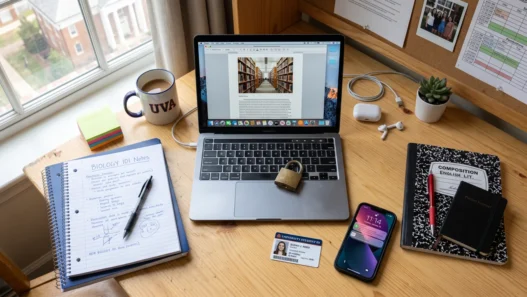






There’s a special kind of self-loathing that comes from opening Instagram “for one minute” and surfacing forty-five minutes later with nothing to show for it. If willpower alone were enough, none of us would need distraction blockers — but willpower is a depletable resource, and your phone was designed by a thousand engineers to defeat it.
So you outsource the willpower. The two heavyweights in this space are Cold Turkey and Freedom, and they take fundamentally opposite approaches: one is a maximum-security prison for your desktop, the other is a polite-but-firm bouncer that follows you across every device. I’ve used both extensively. Here’s the honest comparison.
The head-to-head
| Cold Turkey | Freedom | |
|---|---|---|
| Price | Free tier; Pro ~$39 one-time, lifetime | ~$40/year or ~$190 lifetime |
| Platforms | Windows, Mac only | Windows, Mac, iOS, Android, Chrome |
| Blocks websites | Yes | Yes |
| Blocks desktop apps | Yes (Pro) — very robust | Yes, but less strict on desktop |
| Mobile blocking | No | Yes — full iOS/Android support |
| Cross-device sync | No | Yes — one blocklist, all devices |
| Unbreakable mode | Frozen Turkey: survives uninstalls & reboots | Locked mode: strong, but bypassable with effort |
| Scheduling | Excellent — complex recurring schedules, time budgets | Good — recurring sessions, scheduled blocks |
| Interface | Dated but functional | Clean and modern |
| Best for | Desktop-only users who need iron discipline | Anyone whose phone is the problem |
The table tells you the facts. The rest of this article tells you which facts actually matter, because the right choice depends entirely on where your distractions live.

Cold Turkey: the nuclear option
Cold Turkey’s philosophy is simple: when the block is on, it is on. Its infamous Frozen Turkey mode creates a lockout period that you cannot disable — not by closing the app, not by uninstalling it, not by restarting your computer. You set the terms in a moment of clarity, and your future weak-willed self has to live with them.
This sounds extreme until you’ve been the person who installs a blocker and then uninstalls it twenty minutes later. For chronic self-saboteurs, the inability to chicken out is the entire feature.
Where it shines:
- Application blocking. This is the standout. Cold Turkey can block desktop apps — games, Discord, Steam, desktop social clients — with a thoroughness Freedom can’t match on desktop. If your distraction is “one more round” rather than “one more scroll,” this matters.
- Scheduling depth. You can build genuinely complex rules: block social media 9–5 on weekdays, allow 30 minutes total per day, different rules on weekends. Set it once and forget it.
- The price. Around $39, once, forever. No subscription. Over five years that’s less than a single year of most competitors.
- Privacy. Everything is stored locally on your machine. No account, no cloud, no data leaving your computer.
Where it falls short:
- No mobile support at all. This is the big one. If your distraction pattern is laptop-first — you sit down to study and drift to YouTube — Cold Turkey is perfect. If your pattern is reaching for your phone every six minutes, Cold Turkey watches helplessly from your desktop while you scroll. Know which person you are.
- It can be too strict. Lock yourself out of something you legitimately need — a site you forgot was on the list, a block that runs too long — and there’s no override. This has burned users during schedule changes. Start with short blocks and build up.
- The interface looks like 2010. Functional, but nobody’s calling it beautiful. You’ll spend 20 minutes learning where everything is.
Freedom: the everywhere option
Freedom’s pitch is coverage: one blocklist that applies simultaneously to your laptop, phone, and tablet. Start a session on your Mac and your iPhone goes quiet too. For the many of us whose distraction migrates between devices — blocked on laptop, reach for phone — this is the killer feature.
Where it shines:
- True cross-device blocking. No other blocker in this price range syncs sessions across Windows, Mac, iOS, and Android this smoothly. Set up your blocklists once; they follow you everywhere.
- Gentler learning curve. The interface is clean, setup takes minutes, and the whole thing feels designed for normal humans rather than productivity monks.
- Locked mode. Freedom’s answer to Frozen Turkey — once a session starts in locked mode, you can’t end it early. It’s not quite as Fort Knox as Cold Turkey (determined users find workarounds), but it stops 95% of impulse quits.
- Good scheduling. Recurring sessions, scheduled blocks, blocklists for different contexts (study vs. work vs. evening wind-down).
Where it falls short:
- The subscription. Around $40/year, or ~$190 for lifetime. Nothing outrageous, but it’s a recurring cost for something Cold Turkey sells once. Do the five-year math before you decide the subscription “isn’t much.”
- Desktop app blocking is weaker. Freedom can block apps on Mac, but it’s less airtight than Cold Turkey’s system-level approach. Desktop gamers and app-hoppers, take note.
- Requires an account and cloud sync. Your blocklists live on Freedom’s servers. Not a practical problem for most people, but worth knowing if you’re privacy-sensitive.
The verdict: it depends on your distraction pattern
Here’s the decision framework I’d actually use:
Pick Cold Turkey if: you study primarily on a desktop or laptop, your distractions are websites and desktop apps, you have a history of disabling blockers (you need the unbreakable kind), and you’d rather pay once than subscribe. It’s also the better pick if you’re on a tight budget — the free tier covers basic website blocking, and $39 lifetime is hard to beat.
Pick Freedom if: your phone is a major distraction vector, you study across multiple devices, you want the same rules everywhere without thinking about it, and you’re comfortable with a subscription. For students whose study sessions happen on a phone or tablet — flashcards on the bus, videos on a tablet — Freedom is the only one of the two that helps at all.
Pick neither (yet) if: you haven’t tried the free options. Your phone’s built-in Screen Time or Digital Wellbeing can block apps on a schedule for free. Browser extensions like LeechBlock do basic site-blocking for free. A blocker you actually configure beats a premium one you never set up.
Setting up your first block: a 10-minute walkthrough
Whichever you choose, here’s how to avoid the classic mistake of over-blocking on day one and rage-quitting by day three. First, spend two days just noticing: every time you catch yourself distracted, jot down the site or app. You’ll end up with a short, honest list — usually 3–5 culprits, not the 40-site blocklist your anxiety wants to build.
Second, create one blocklist with just those culprits. Third, schedule it for your single most important study window — say, 7–9 PM on weekdays — rather than your entire life. Run that for a week. If you find yourself blocked from something legitimate, that’s data: refine the list. Only then expand to more hours. A blocker that covers two golden hours every day beats an aggressive setup you disable within a week, and the gradual approach builds the consistency that actually changes behavior.
How to actually succeed with either one
Buying a blocker is the easy part. Here’s what determines whether it works:
- Block the specific, not the general. “Block distracting sites” fails. “Block twitter.com, instagram.com, and youtube.com recommendations from 7–10 PM” works. Name your actual enemies.
- Schedule, don’t improvise. Deciding in the moment whether to start a block is itself a willpower tax. Recurring schedules remove the decision — which is the same reason habit systems beat motivation.
- Leave yourself an escape valve. Total lockdown sounds heroic and ends with you disabling everything in frustration. Allow short, scheduled breaks — our guide to effective study breaks explains how to rest without derailing.
- Fix the underlying problem too. A blocker treats the symptom. If you’re reaching for your phone because the material is confusing or boring, the real fix might be a better study method — structured focus sessions help more than people expect — or addressing the attention patterns in our ADHD strategies guide.
- Start strict, then relax. Begin with aggressive blocks for two weeks to break the reflex. Once the habit of focused work is established, you can loosen the rules. Most people do this backwards.

What about the free alternatives?
Quick honorable mentions, because not everyone needs to pay:
- SelfControl (Mac, free). Dead simple, open-source, and genuinely unbreakable until the timer ends — even by admins. Mac-only and website-only, but free forever.
- One Sec (iOS/Android). Takes a different approach: instead of blocking, it forces a breathing pause every time you open a distracting app. Surprisingly effective for breaking the unconscious phone-check reflex.
- Forest. The gamified focus timer we reviewed separately — gentle motivation rather than hard blocking, but a good complement.
Bottom line
If I had to give one recommendation to a student with a laptop-centric distraction problem and $39 to spend once: Cold Turkey. If your phone is the problem and you study on multiple devices: Freedom, and do the lifetime math honestly. Either way, the tool is maybe 20% of the solution — the other 80% is the honest audit of where your attention actually goes, and the willingness to protect it like it matters. Because it does. 🔒