




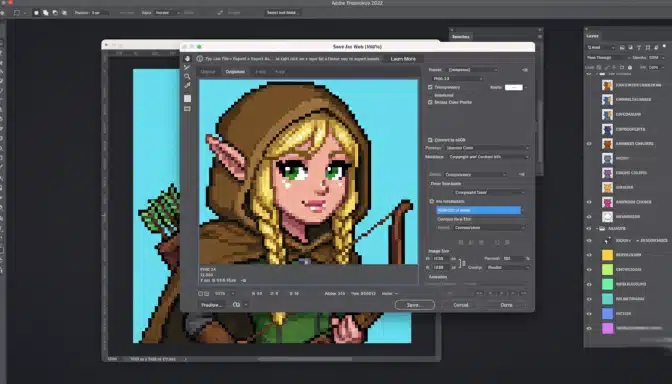
Your profile picture is boring. Let’s be honest — it’s a cropped photo from 2019 where you’re squinting. Meanwhile, some people have these perfect little 8-bit avatars that look like they walked out of a retro game, and every time you see one you think: I want that. Good news: you can make it yourself, and it’s easier than it looks.
Pixel art is the art of placing individual squares of color on a tiny grid. It looks simple until you try it — and then it teaches you more about color, shape, and restraint than any other digital medium. Here’s your complete beginner’s guide.
Why Start with Pixel Art?
Of all digital art forms, pixel art has the friendliest learning curve. The canvas is small (often 32×32 or 64×64 pixels), so you finish pieces fast. Every pixel is a deliberate decision, which forces you to learn composition and color theory without drowning in detail. And the tools are free.
It’s also genuinely useful. Pixel art powers indie games, avatars, icons, emotes, and NFTs (for what that’s worth). A solid pixel art portfolio piece takes hours, not weeks — which makes it perfect for building a portfolio while you learn.
Your Free Toolkit
You need exactly one program to start. Pick one:
- Aseprite — the industry standard for pixel art. Inexpensive, purpose-built, worth every cent. (Free to compile yourself if you’re technical.)
- Piskel — free, browser-based, excellent for beginners. Start here if you want zero setup.
- Libresprite — a free fork of an older Aseprite version. Solid and open-source.
That’s it. No drawing tablet required — a mouse works fine at this scale, though a tablet feels nicer. Start at 32×32 pixels. Small canvas, big learning.
The Core Techniques (Learn These First)
1. Work with a limited palette
Beginners use too many colors. Pros use few. Start with 4–8 colors total. A limited palette forces harmony — everything matches because there’s nothing to clash. Sites like Lospec publish curated palettes; pick one you like and stick to it for your first ten pieces.
2. Clusters, not noise
The golden rule of pixel art: group same-colored pixels into clusters. Scattered single pixels of different colors create visual noise (beginners call it “banding” and “jaggies”). Clean clusters read as intentional shapes. When in doubt, simplify — merge colors, enlarge clusters.
3. Anti-alias by hand
Curves in pixel art are staircases. To smooth them, place intermediate-color pixels along the steps — this is manual anti-aliasing, and it’s the technique that separates amateur from professional-looking work. Study any game sprite zoomed in and you’ll see it everywhere.
4. Light from one direction
Pick a light source (usually top-left) and never move it. Every shadow and highlight on your sprite must agree with that single light. Consistent lighting is what makes flat pixels look three-dimensional.
Your First Project: The 8-Bit Avatar
Let’s build that profile picture. Step by step:
- Set up. New 32×32 canvas. Pick a 6-color palette (skin, hair, shirt, dark outline, background, accent).
- Silhouette first. Block in the head shape with one color. At 32×32, the head is roughly the top two-thirds. Don’t detail yet — get the shape right.
- Add features. Two dark pixels for eyes, a few for the mouth. Less is more: at this size, two pixels are an eye. Resist the urge to add more.
- Hair and extras. Hair frames the face — a few clusters on top and sides. Add one signature detail: glasses, a hat, headphones. This one detail is what makes it you.
- Shade it. Add a darker skin tone on the shadow side (opposite your light source). One shade darker, in clusters. Add a highlight pixel or two on the hair.
- Outline (or don’t). Dark outlines make sprites pop against backgrounds. Try a dark outline first; remove it later if you prefer the cleaner modern look.
- Background. A simple gradient or flat color. Avatars read best on simple backgrounds.
Done. Export as PNG, scale it up (nearest-neighbor scaling only — never blurry), and enjoy having the coolest profile picture in the group chat.
Level Up: Animation Basics
Once your static avatar works, try a two-frame blink. Duplicate the frame, move the eye pixels down one row, and you’ve made your first animation. Pixel art animation follows the same principles as all animation — squash, stretch, anticipation — just at tiny scale. Aseprite and Piskel both have timeline features built in. A blinking avatar or a bouncing idle animation turns a good profile picture into a great one.
Common Beginner Mistakes
- Too many colors. If your palette has 20 colors, cut it to 8 and watch the piece improve.
- Pillow shading. Shading every edge equally instead of from one light direction. It makes everything look like a balloon.
- Saving as JPEG. JPEG compression destroys crisp pixels. PNG always.
- Working too big. Starting at 128×128 is just digital painting with extra steps. Stay small until clusters feel natural.
Frequently Asked Questions
Do I need to know how to draw first?
It helps, but pixel art is more forgiving than other mediums — the grid constrains you in a helpful way. Many pixel artists started here and learned drawing fundamentals alongside. If you’re starting from absolute zero, this beginner’s field guide to creative skills has your back.
Can pixel art make money?
Yes — indie game studios, streamers (emotes and badges), and icon commissions are steady markets. It’s a real skill with real clients, and self-taught designers break into it regularly.
Where to Share and Get Feedback
Pixel art has one of the friendliest online communities in all of digital art — small enough to be welcoming, skilled enough to teach you real things. Here’s where to plug in:
- Lospec — the pixel art community hub: tutorials, palette lists, challenges, and a Discord full of people who will critique your work honestly.
- Pixel Joint — the classic gallery and forum. Study the top-rated pieces zoomed in; the technique on display is a free education.
- Weekly challenges. Lospec and various Discords run themed prompts (“draw a shopkeeper,” “16×16 monster”). Constraints plus deadlines are the fastest skill-builder in existence.
- Social media. Pixel art performs absurdly well on social platforms — the small, readable images stop thumbs mid-scroll. Post your progress, not just finished pieces.
When asking for critique, ask specific questions: “does the lighting read?” beats “what do you think?” Specific questions get specific answers, and specific answers make you better.
What’s the difference between pixel art and just small digital art?
Intention. True pixel art places every pixel deliberately — clusters, manual anti-aliasing, limited palettes. A digital painting shrunk down isn’t pixel art; it’s a small painting. The discipline of deliberate pixel placement is what gives the medium its distinctive crisp look, and it’s the skill you’re actually training.
How long until my pixel art looks good?
Faster than you’d think. Most beginners produce genuinely nice pieces within their first month — the small canvas means fast iterations, and fast iterations mean fast improvement. Your first ten pieces are experiments; piece eleven is where people start asking how you did it.
Keep Going
Your first avatar took an hour. Your tenth will take twenty minutes and look twice as good. That’s the whole secret of pixel art: tiny canvases, fast iterations, visible progress. Now go make yourself in 8-bit — and maybe your friends too. They’ll ask.